I was travelling to attend WordCamp Asia 2026 in Mumbai, India with my nephew and cousin, and I was telling them how they can use WordPress Playground to explore WordPress, as they are new to it. While discussing WP Playground, I got the idea to build a playground for the REST API.
On the way back home, I used Claude Code to build the plugin, and the MVP was ready within 2–3 hours — and it works great. 100% developed with Claude Code, with manual code review and minor tweaks.
Following are the key features of the plugin:
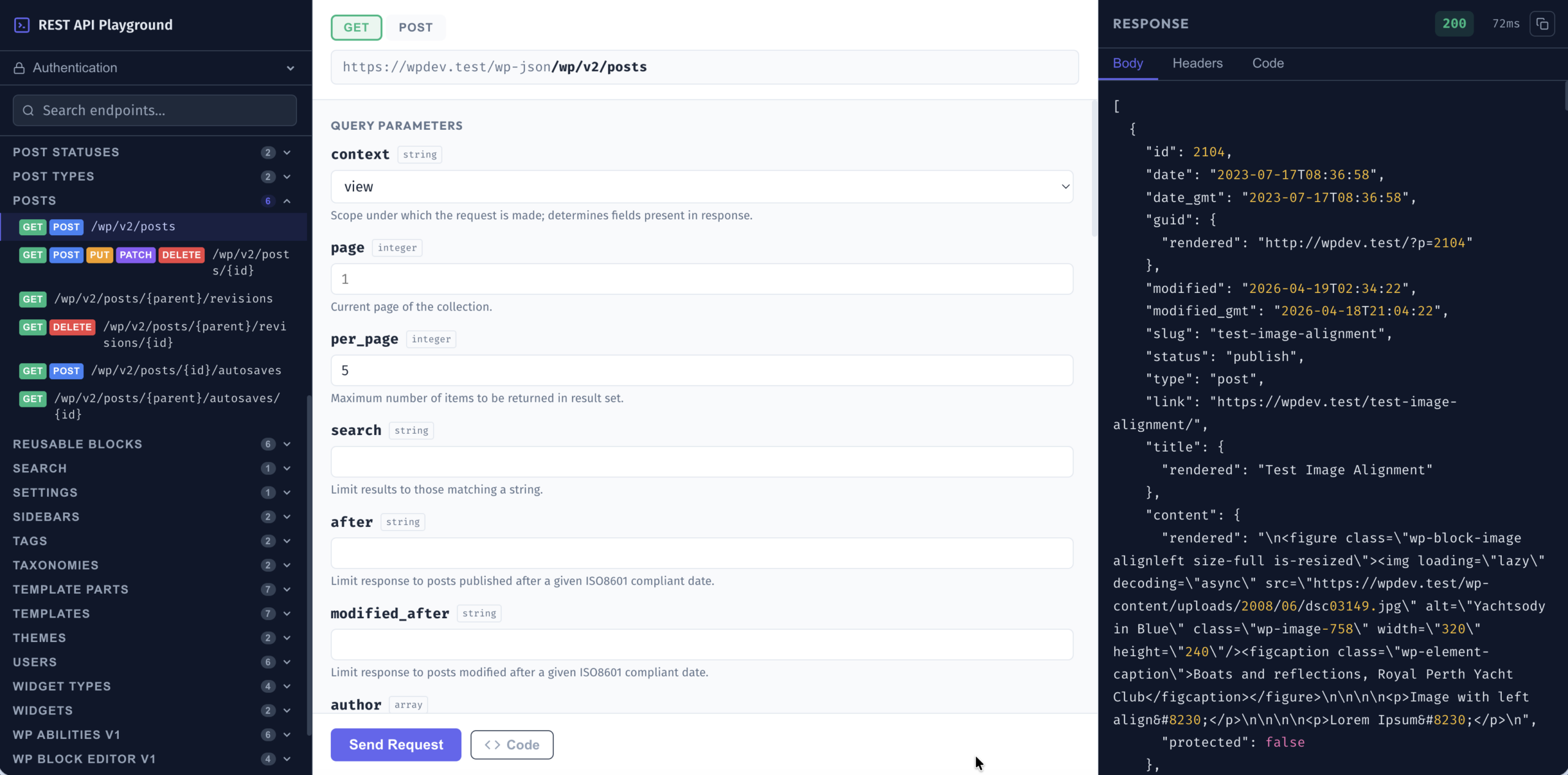
- Three-panel layout — endpoint browser on the left, request builder in the centre, response viewer on the right.
- Full endpoint discovery — all registered REST API routes (core and plugin-added) are loaded automatically and grouped by resource type (Posts, Pages, Users, Media, Comments, and more).
- Live search — filter endpoints by route path or category as you type.
- Method tabs — switch between GET, POST, PUT, PATCH, and DELETE for any route that supports multiple methods.
- Schema-driven form fields — path parameters, query parameters, and request body fields are rendered from the endpoint’s registered schema.
- Application Password authentication — enter credentials once; saved to
sessionStorageand cleared when the tab closes. Every request also includes the WordPress nonce (X-WP-Nonce) for cookie-based sessions. - Syntax-highlighted response — with a response headers tab, copy to clipboard, and a timing indicator showing round-trip duration in milliseconds.
- Administrator-only access — restricted to users with the
manage_optionscapability at/rest-api-playground/. - Code examples tab — after each request a Code tab appears with ready-to-use JavaScript
fetch(), WordPress PHP (wp_remote_get/wp_remote_post), and cURL snippets for the same call; switch between the three with language sub-tabs. Code can also be previewed before sending a request.
If you are working with the WordPress REST API, do give it a try. If something is not working or you have a feature request in mind, please open a GitHub issue — I would love to hear your feedback.
GitHub: chandrapatel/wp-rest-api-playground
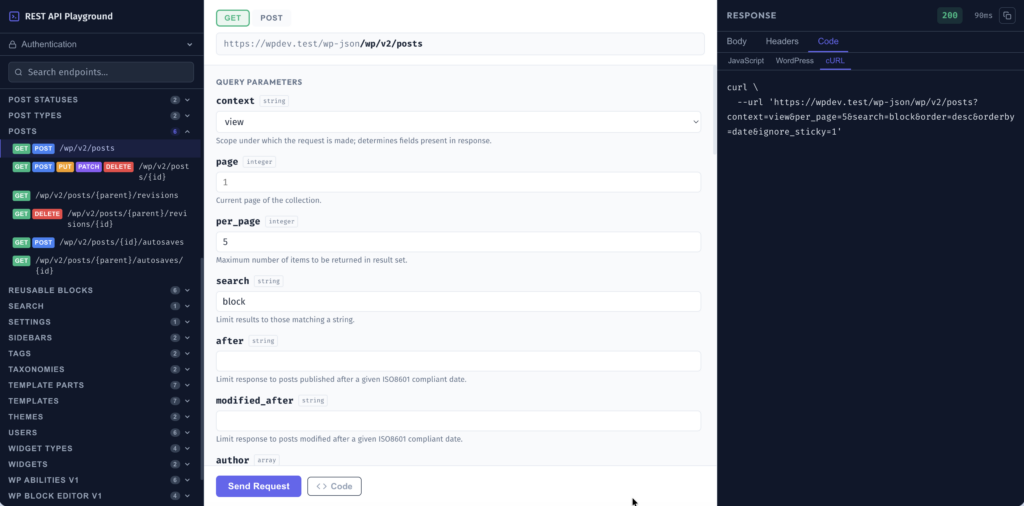
WordPress REST API Playground — three-panel interface showing the /wp/v2/posts GET endpoint with query parameters form and Code tab showing cURL example 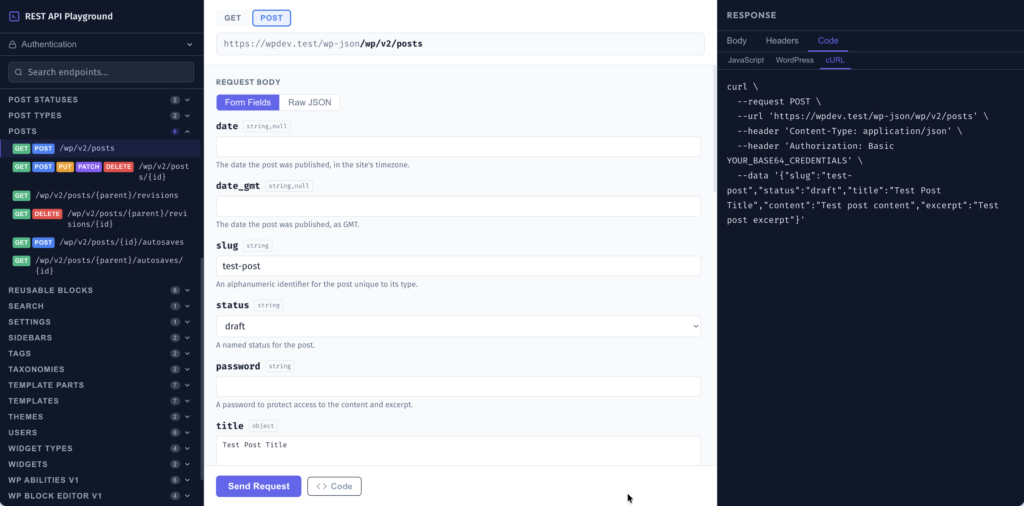
WordPress REST API Playground — three-panel interface showing the /wp/v2/posts POST endpoint with query parameters form and Code tab showing cURL example 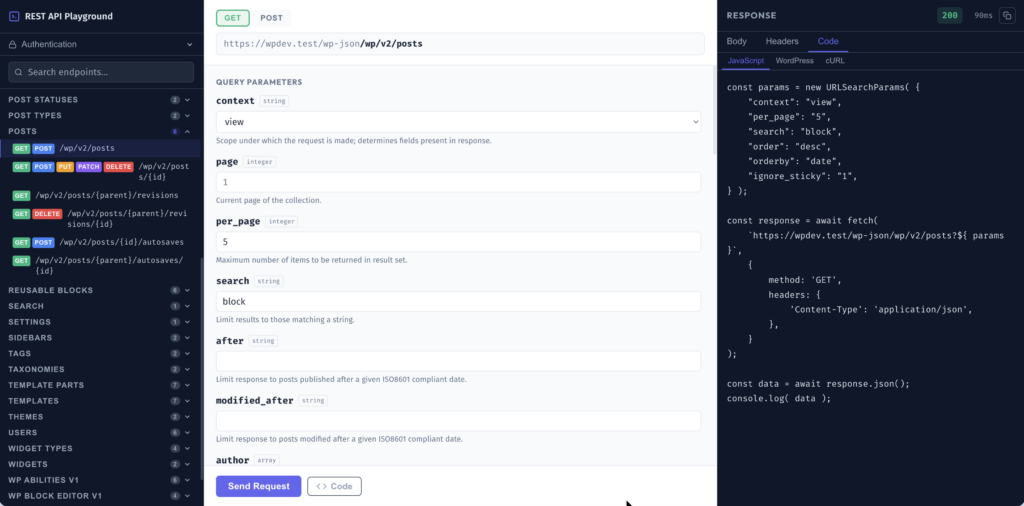
WordPress REST API Playground — three-panel interface showing the /wp/v2/posts GET endpoint with query parameters form and Code tab showing JavaScript example 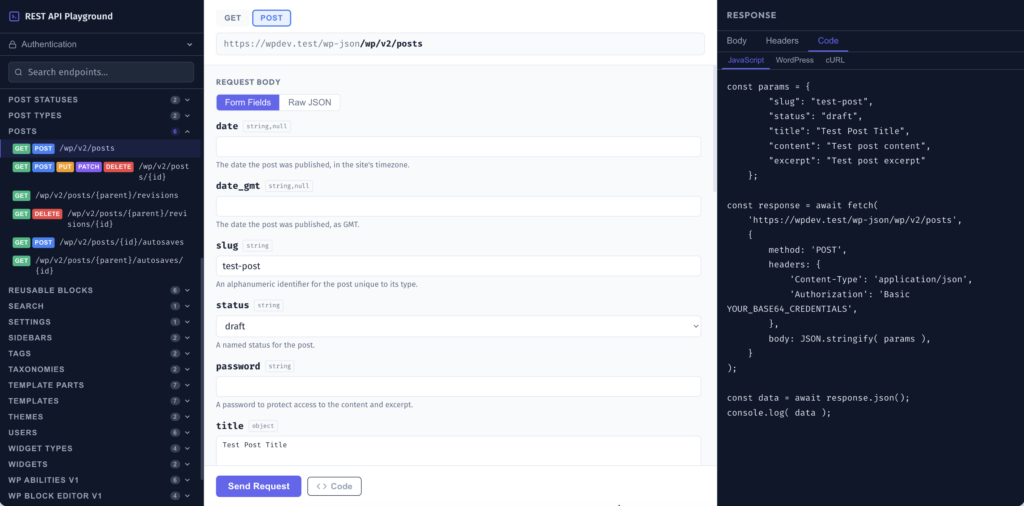
WordPress REST API Playground — three-panel interface showing the /wp/v2/posts POST endpoint with query parameters form and Code tab showing JavaScript example 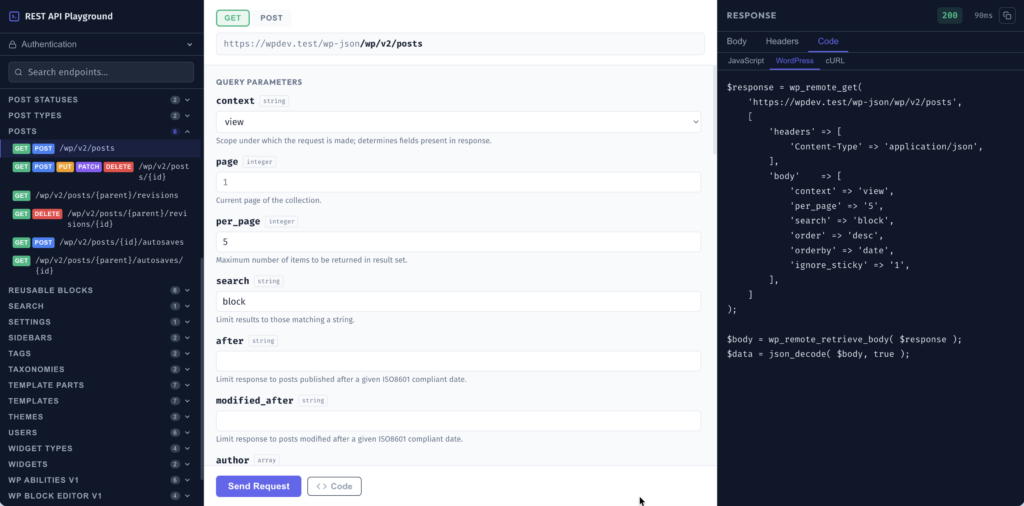
WordPress REST API Playground — three-panel interface showing the /wp/v2/posts GET endpoint with query parameters form and Code tab showing WordPress example 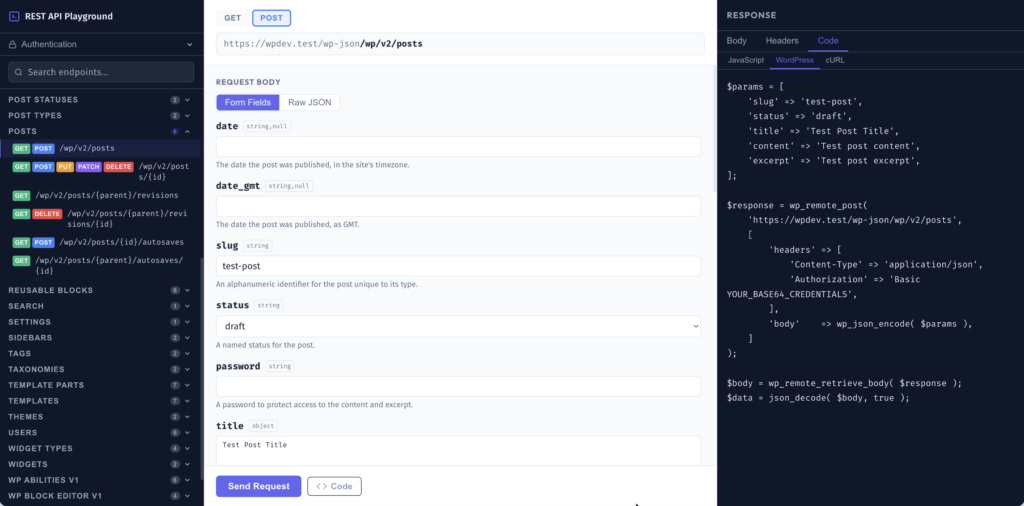
WordPress REST API Playground — three-panel interface showing the /wp/v2/posts POST endpoint with query parameters form and Code tab showing WordPress example
Leave a Reply